
Apple Pay
Fast, easy and secure
Enjoy all the benefits of your HSBC UK debit and credit cards with Apple Pay on iPhone, Apple Watch, iPad, and Mac.
Using Apple Pay is simple, and it works with the devices you use every day. Your card information is secure because it isn’t stored on your device or shared when you pay. So you can pay in an easy, secure, and private way.
And you can say goodbye to the £100 contactless limit with Apple Pay. You can purchase over the contactless limit in many stores, so you can use Apple Pay for purchases, big or small.
Look out for the following symbols to use Apple Pay on websites, apps or in stores:

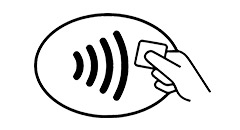
HSBC UK won't charge you for using Apple Pay, but charges from your mobile network provider may apply depending on your data plan.
Using Apple Pay on the go
Paying for journeys with Apple Pay is now easier than ever. Express Transit mode allows you to use Apple Pay on your iPhone or Apple Watch to touch in and touch out for pay as you go journeys. There’s no need to use Face ID, Touch ID or double-click the side button on your Apple Watch.
To see the full list of providers that accept Express Transit Mode please refer to the Apple website.
To enable Express Transit mode for your HSBC UK card in Apple Wallet:
- Go to Settings
- Select Wallet & Apple Pay
- Select Express Transit Card
If you have a default HSBC UK card set for Apple Pay, Express Transit mode will automatically be enabled for this card. If you wish to disable this feature please follow the steps above.
How to add a card
On devices running iOS17 and above, there's no limit to the amount of cards you can store. Devices running an earlier iOS are limited to 16 cards per device. The same card can be added on up to 9 devices. The first card added to Apple Pay will be the default card. Payments will be from this card unless another card is selected. You can change your default card at any time by going into ‘Settings’, and then ‘Wallet & Apple Pay’.
How to pay
Paying in stores
To pay with Face ID, double-click the side button, glance at your screen, then hold iPhone near the reader. For Touch ID, hold your iPhone near the reader with your finger on Touch ID.
On Apple Watch, double-click the side button and hold Apple Watch up to the reader.
Paying in apps and on websites
To pay in apps and on websites in Safari on your iPhone and iPad, select Apple Pay at checkout and complete the payment using Face ID or Touch ID.
To pay on websites in Safari on your Mac, select Apple Pay and complete the payment using your iPhone or Apple Watch. Or, if your Mac has Touch ID, select Apple Pay at checkout in Safari and complete the payment using Touch ID on the Touch Bar.
You can also choose HSBC credit card instalment plans when you check out online or in-app using your HSBC credit card with Apple Pay on your iPhone or iPad. Find out more about HSBC credit card instalment plans on Apple Pay.
Paying on Transport for London (TfL)
With Express Transit mode enabled, you don’t need to use Face ID or Touch ID - and there’s no need to double-click the side button of your Apple Watch.
Simply touch the top of your iPhone, or the display of your Apple Watch, to the middle of the yellow card reader at the start and end of your journey.
You can touch your iPhone or Apple Watch to the reader even if it’s locked, in the middle of a game, video or message. You’ll feel a vibration and see Done and a checkmark on the display.
If you have an iPhone XS, iPhone XS Max or iPhone XR, Express Transit mode with power reserve is available for up to 5 hours when your iPhone needs to be charged. If you choose to power off your iPhone, this feature won’t be available.
Your default card
The first card you add to Wallet is assigned as your default card. If you add more cards and want to change your default card, follow these steps.
iPhone & iPad
- Go to 'Settings'
- Select 'Wallet & Apple Pay' on your iPhone or iPad, and scroll down to Transaction Defaults
- Select 'Default Card' and choose a new card
- On your iPhone, you can also open Wallet, touch and hold a card, then drag it to the front of your cards.
Apple Watch
- Open the Apple Watch app on your iPhone
- Select the 'My Watch' tab and select 'Wallet & Apple Pay'
- In the 'Default Card' screen, choose a new card
Mac with Touch ID
- Go to 'System Preferences' and choose 'Wallet & Apple Pay'
- Choose a new card from the Default Card pop-up menu
Frequently asked questions
Still have questions about Apple Pay?
Other ways to pay
Additional information
Samsung and Samsung Pay are trademarks of Samsung and this webpage is not endorsed by or affiliated with Samsung in any way.
The Contactless Symbol is a trademark owned by and used with permission of EMVCo, LLC.
Android, Google Play and the Google Play logo are trademarks of Google LLC. This webpage is not endorsed by or affiliated with Google in any way.
Apple, the Apple logo, Apple Pay, Apple Watch, Face ID, iPad, iPhone, iTunes, Mac, MacBook Pro, Safari, and Touch ID are trademarks of Apple Inc., registered in the U.S. and other countries. Touch Bar is a trademark of Apple Inc.